A sofa on its own does not tell you much about how large it will feel at home. Add a coffee table, a cabinet and the route you use every day, and the question gets more interesting.
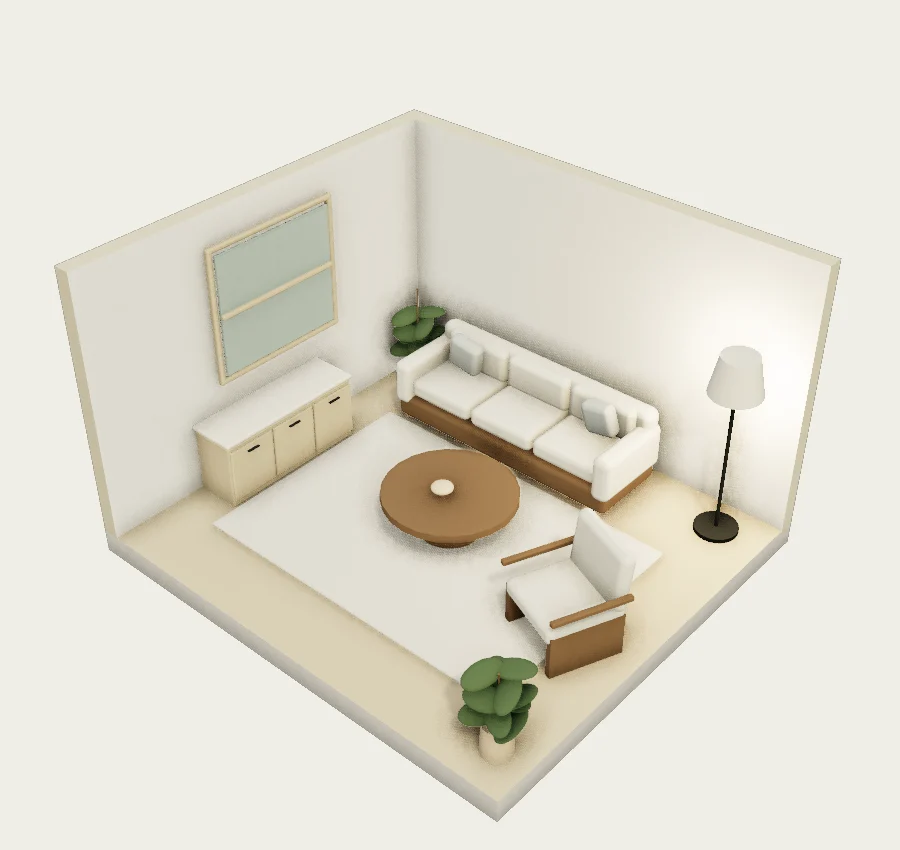
For a starting point, look at A small lounge with room to move. Its model measures 4.4 × 4 metres. Measure your own space before adapting it; the example's area cannot stand in for yours.
Put the measurements together
Record wall lengths, doors, windows and anything you are keeping in place. Include columns or bits of wall that project into the room. Those small details can make a layout harder than it looks.
Then find the candidate furniture's width, depth and height in the product information. Ask the seller if something is unclear. A product or room photograph is not a reliable way to measure it.
For a simple example, a 4-metre run with furniture occupying 2.4 metres leaves 1.6 metres along that direction. But that remaining space may be split between both ends, or partly occupied by other furniture. Arithmetic starts the check; the arrangement tells you what the number means.
Use the plan for footprints
Open the small lounge in the editor and adjust the structure and items to match your measurements. A library model can stand in for a sofa or cabinet, but it may not match the specific product you intend to buy. Check its dimensions and use it as a footprint reference when its shape differs.
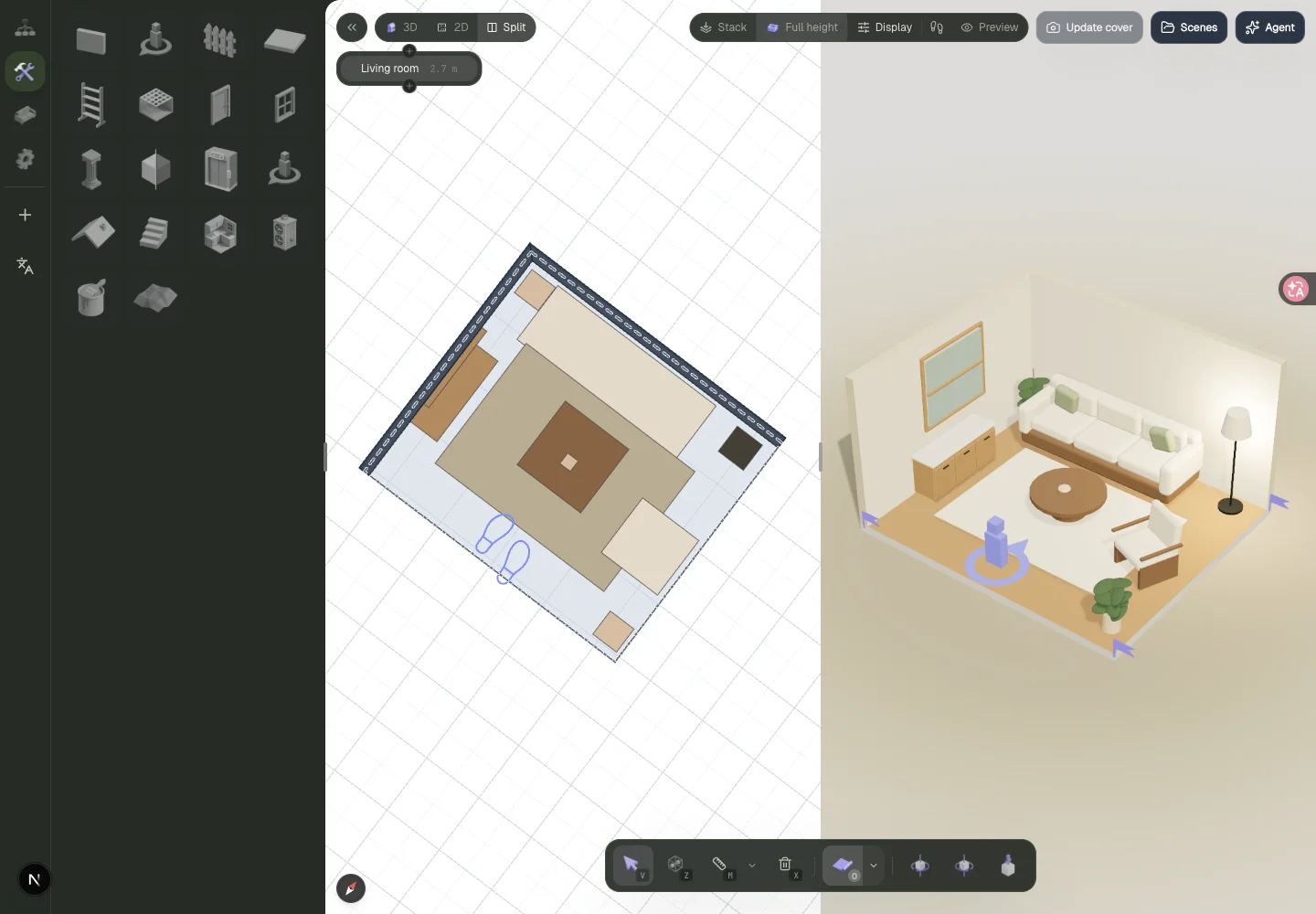
This controls screenshot uses the oak living room, a different example. It shows how Split view puts the plan beside the model. The plan helps you follow a route; 3D makes it easier to see the relationship to windows and tall furniture.
Look at the route from entrance to seating, door movement and the space needed to use drawers or pull out chairs. A chair tucked under a table occupies less room than a chair with someone sitting in it. Allow for that yourself if the model does not simulate it.
Look from the entrance too
The public small-lounge preview has an “Enter room” walkthrough. Use it to understand the sample layout; inspect your own changes in the editor.
Look from the places you would actually stand, rather than choosing only the flattering angle. Try the doorway, beside the cabinet and facing the window from the sofa.
Check the real item before ordering
The editor does not currently turn models into matched purchasable products or a complete shopping budget. It helps compare arrangements. Confirm actual dimensions, opening mechanisms, delivery and installation requirements with the seller.
If you are still unsure, mark the footprint on the floor with paper tape and compare it with the model. If you need help finding the controls first, start with your first room plan.